
AI Technology Brief · Construction prompt workflow
ChatGPT for Construction Daily Reports: 8 Prompts, Examples and Verification
Turn field notes, workforce returns, photos, deliveries and inspections into reviewable drafts. Preserve what was observed, what was reported, what remains unknown and who accepts the official record.
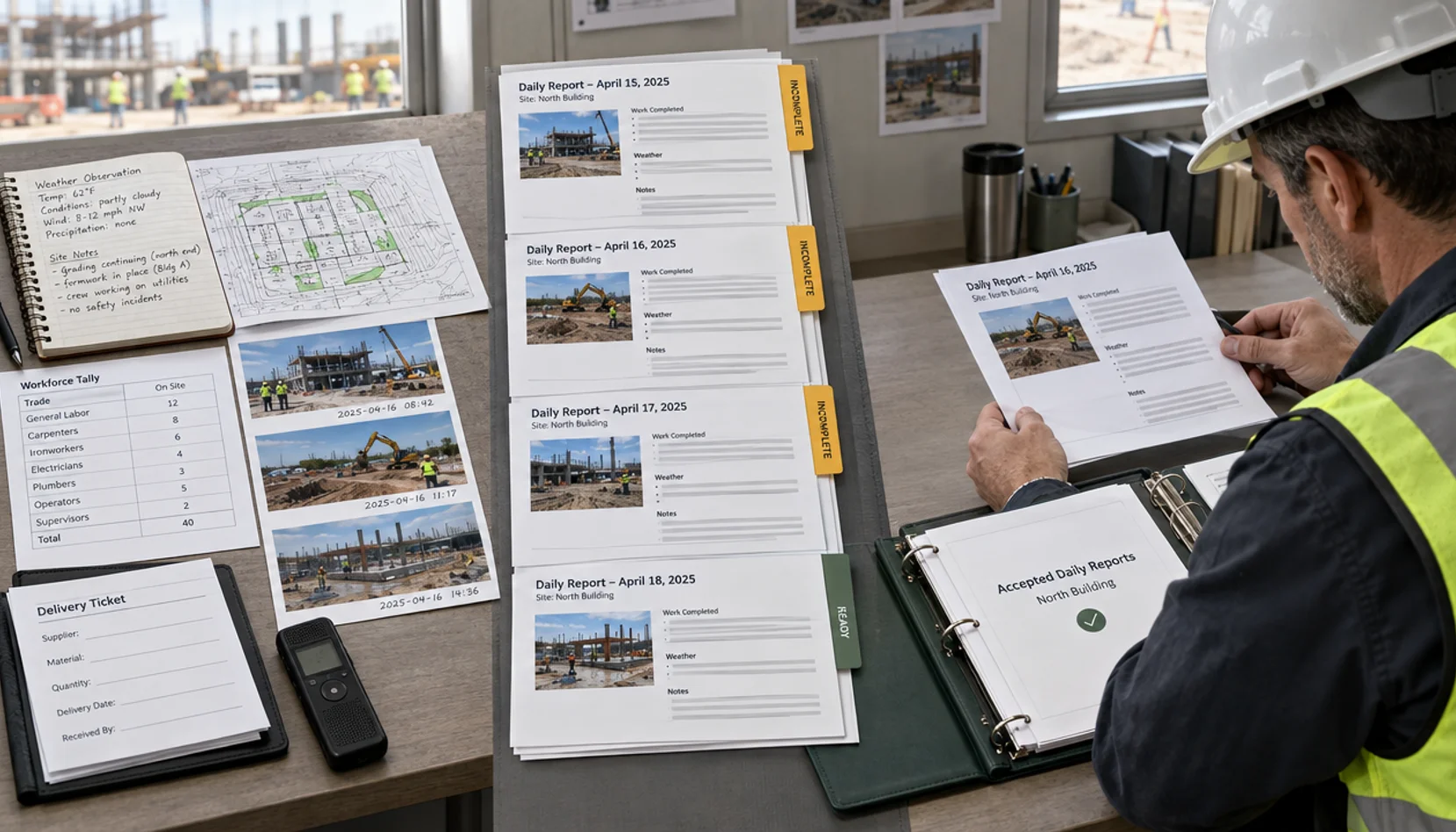
What is documented
A candidate draft is not an accepted project record.
OpenAI documents file uploads and data analysis for supported files. Plan, format, embedded visuals, limits and retention vary; an uploaded file does not prove every page, photo or table was interpreted correctly.
Procore's Daily Log documentation describes separate entries for manpower, notes and observed weather. That illustrates why a fluent paragraph is not a substitute for dated, structured site evidence. The documentation does not establish ChatGPT accuracy or a live project-system integration.
Daily reports may become contemporaneous evidence. A draft that merges shifts, invents headcounts, treats a forecast as an observation or records a promised delivery as received creates a credible-looking but unreliable record. The prompts below surface these gaps for review.
Boundary: Confirm the approved workspace, client permission, data controls, access and retention before uploading field notes or photos. ChatGPT does not observe the site, sign a report, certify work or determine safety and contractual effects.
Prepare sources first
Collect a dated source pack, not an unlabelled pile of photos.
Confirm permission, source identity, current status and reviewer before uploading. A filename alone does not verify content or revision.
Project and cutoff
Project ID, reporting date, timezone, shift, location codes and previous accepted report.
Field observations
Named reporter, time, location, original note or transcript and whether directly seen or relayed.
Work and workforce
Trade, company, location, activity, headcount, hours and plant from authorized returns; planned versus completed.
Deliveries and inspections
Ticket and inspection IDs, quantities as stated, receipt status and accepted outcome only where recorded.
Media and weather
Original photo ID, capture metadata, location and permissions; observed weather source and time.
Exceptions and approval
Missing returns, disputed values, unknown owners, reviewer correction and accepted report version.
Worked example · Fictional
A rough field note should create a review queue, not manufactured facts.
Illustrative input created for this guide. It is not a real project or approved result.
Supplied notes
Fictional site: North Yard, 17 September, day shift. Foreman note: 'Drywall crew on level 3. Waiting for design answer on RFI 47 before closing ceiling. Door supplier says Friday, no ticket yet. Rain after lunch, west access muddy.' Manifest: photo P-031 labelled level 3 corridor at 14:10. No labour return, weather observation, live RFI export or delivery ticket supplied.
| Candidate field | Draft from input | Check before use |
|---|---|---|
| Work noted | Crew reportedly on level 3; activity and headcount unconfirmed. | Foreman verifies work, company, hours and exact location. |
| Design constraint | Foreman reports RFI 47 unresolved before ceiling closure. | Open live RFI and current design; confirm actual work restriction. |
| Door delivery | Supplier reportedly said Friday; receipt not evidenced. | Confirm purchase order, promised date and receipt ticket. |
| Weather and access | Rain and muddy west access reported; duration and effect unknown. | Check site observation, time, activity and response; no delay claim. |
| Photo | P-031 listed at 14:10; content not described. | Open original, check metadata, permission and what it shows. |
Review decision: Leave crew count, delivery receipt, RFI status and weather effect open. The superintendent checks records and corrects the draft before accepting an official entry.
From prompt to workflow
Move repeated work into an owned operating path.
A copied prompt helps once. Repeat daily use needs durable IDs, reporting cutoffs, required-field checks, an exception queue, human acceptance and recovery when evidence arrives late.
- 01
Collect
Bring in permitted notes, returns, tickets, images and source status for one site and cutoff.
- 02
Identify
Match project, shift, location, company, source, photo and document revision.
- 03
Validate
Check required fields, duplicate tickets, time windows and totals outside the language model.
- 04
Prepare
Draft candidate sections with citations, unknowns and observed/reported distinctions.
- 05
Review
Superintendent and trade, quality or safety owners inspect evidence and correct exceptions.
- 06
Accept and recover
Issue only through approved process; preserve edits, accepted version and late-entry history.
Copyable prompts
Eight tasks with sources, checks and authority boundaries.
Replace bracketed fields and use only approved records. Copying a prompt does not authorize a document upload or an official action.
Prompt 01
Draft a daily log from dated site notes
A superintendent has raw notes but no structured entry.
Attach first
Dated notes, site/location list, shift cutoff and prior accepted log.
Work only from the approved files and facts supplied for [PROJECT / DATE]. Cite source file or record ID, revision, page, sheet, row or timestamp for each claim where possible. Separate observations, reported statements and inference. Mark absent, conflicting, superseded or illegible evidence. Do not invent names, dates, quantities, instructions, responses or approvals. Return a candidate for named human review only.

Draft work by trade/location; observed versus reported facts; labour, plant, deliveries, inspections, constraints, sources and unknowns. Do not turn planned work into completed work.
Verification checks
- 1Compare activity and location with originals.
- 2Verify quantities and completion with field returns.
- 3Superintendent corrects and accepts the official entry.
Authority boundary
No issue or lock of the official log without site authorization.
Prompt 02
Reconcile crews and equipment
Multiple foremen send different shift returns.
Attach first
Foreman returns, time sheets, plant logs and company identifiers.
Work only from the approved files and facts supplied for [PROJECT / DATE]. Cite source file or record ID, revision, page, sheet, row or timestamp for each claim where possible. Separate observations, reported statements and inference. Mark absent, conflicting, superseded or illegible evidence. Do not invent names, dates, quantities, instructions, responses or approvals. Return a candidate for named human review only.

List raw counts and hours by company, shift and location; separately calculate totals and flag duplicates, absent hours and late returns. Do not count visitors as workers.
Verification checks
- 1Recalculate in the timekeeping system.
- 2Ask foremen to resolve duplicates and cutoffs.
- 3Record corrected totals and reviewer.
Authority boundary
Payroll and certified workforce records remain under authorized control.
Prompt 03
Organize site photos by evidence
Photos need linking before a narrative is written.
Attach first
Original permitted photos, metadata, location map and dated observations.
Work only from the approved files and facts supplied for [PROJECT / DATE]. Cite source file or record ID, revision, page, sheet, row or timestamp for each claim where possible. Separate observations, reported statements and inference. Mark absent, conflicting, superseded or illegible evidence. Do not invent names, dates, quantities, instructions, responses or approvals. Return a candidate for named human review only.

List filename, capture time where reliable, location as reported, visible observation only if image inspected, uncertainty and related note. Never infer concealed work, exact quantity or compliance.
Verification checks
- 1Inspect original image and metadata.
- 2Confirm location and observation with site lead.
- 3Retain original and accepted annotation separately.
Authority boundary
Image descriptions are not inspections or progress certificates.
Prompt 04
Separate weather from disruption
A note mentions rain and an interrupted activity.
Attach first
Observed weather entry, activity log, site notes and approved programme.
Work only from the approved files and facts supplied for [PROJECT / DATE]. Cite source file or record ID, revision, page, sheet, row or timestamp for each claim where possible. Separate observations, reported statements and inference. Mark absent, conflicting, superseded or illegible evidence. Do not invent names, dates, quantities, instructions, responses or approvals. Return a candidate for named human review only.

Distinguish observed conditions, source/time, planned work, activity stopped, reported duration, mitigation and unknowns. Do not infer causation, critical-path impact or entitlement.
Verification checks
- 1Verify observed weather against source.
- 2Confirm affected activity and actual time.
- 3Refer any delay implication to qualified reviewers.
Authority boundary
Do not create a notice or delay claim.
Prompt 05
Cross-check delivery and inspection
Two systems contain related but different entries.
Attach first
Delivery tickets, receipt register, inspection requests and notes.
Work only from the approved files and facts supplied for [PROJECT / DATE]. Cite source file or record ID, revision, page, sheet, row or timestamp for each claim where possible. Separate observations, reported statements and inference. Mark absent, conflicting, superseded or illegible evidence. Do not invent names, dates, quantities, instructions, responses or approvals. Return a candidate for named human review only.

List deliveries by ticket and inspections by request ID; flag unmatched item, date, location and status. Do not treat delivered material as installed or accepted.
Verification checks
- 1Match original tickets and inspection IDs.
- 2Recalculate received quantities in source system.
- 3Quality and site owners resolve exceptions.
Authority boundary
Receipt does not prove installation, quality acceptance or payment.
Prompt 06
Prepare next-shift constraints
An upcoming shift needs open items.
Attach first
Today's accepted notes, current schedule and constraint register.
Work only from the approved files and facts supplied for [PROJECT / DATE]. Cite source file or record ID, revision, page, sheet, row or timestamp for each claim where possible. Separate observations, reported statements and inference. Mark absent, conflicting, superseded or illegible evidence. Do not invent names, dates, quantities, instructions, responses or approvals. Return a candidate for named human review only.

List constraint ID, location, affected activity, source, owner only if stated, due date only if stated, next check and uncertainty. Separate unfinished work from a verified blocker.
Verification checks
- 1Confirm open items against live register.
- 2Planner and trade owners confirm dependencies.
- 3Authorize handover actions in project queue.
Authority boundary
Draft is not an instruction or schedule approval.
Prompt 07
Audit a draft against yesterday
A report is ready for superintendent review.
Attach first
Today's draft, yesterday's accepted log, source manifest and photo index.
Work only from the approved files and facts supplied for [PROJECT / DATE]. Cite source file or record ID, revision, page, sheet, row or timestamp for each claim where possible. Separate observations, reported statements and inference. Mark absent, conflicting, superseded or illegible evidence. Do not invent names, dates, quantities, instructions, responses or approvals. Return a candidate for named human review only.

Identify copied-forward text, wrong date/location, ungrounded completion, changing counts, missing attachments and unresolved prior actions; cite each draft passage and evidence gap.
Verification checks
- 1Open each flagged source.
- 2Ask owners about carry-forward items.
- 3Retain edits and accepted version separately.
Authority boundary
Only a named reviewer accepts or changes the official record.
Prompt 08
Build an issue chronology from accepted logs
A project manager needs evidence across days.
Attach first
Accepted logs, photos, RFIs and instructions for defined period.
Work only from the approved files and facts supplied for [PROJECT / DATE]. Cite source file or record ID, revision, page, sheet, row or timestamp for each claim where possible. Separate observations, reported statements and inference. Mark absent, conflicting, superseded or illegible evidence. Do not invent names, dates, quantities, instructions, responses or approvals. Return a candidate for named human review only.

List event date, observation, reporter, location, source, response and missing links. Separate later assertions from contemporaneous facts. Do not infer fault or entitlement.
Verification checks
- 1Verify every cited accepted log.
- 2Check RFI and instruction status in source systems.
- 3Commercial and project leads decide use.
Authority boundary
Chronology is evidence preparation, not a contractual conclusion.
Operating controls
Make review and correction part of the result.
Identity and access
Separate site, human user, source account and approved ChatGPT workspace; limit sensitive workforce data.
Source completeness
Compare supplied manifest to expected returns, attachments and prior open items; missing file does not mean nothing happened.
Version and cutoff
Freeze reporting window and retain originals, timestamps, timezone, source IDs and accepted version.
Observation versus report
Attribute statements to original reporter or observation; mark unsupported claims unverified.
Deterministic checks
Recalculate hours, quantities, duplicate tickets and required fields in controlled systems.
Human release
Named superintendent accepts log; refer quality, safety, planning and commercial decisions to their qualified owners.
Audit and correction
Retain candidate, correction, reason, approver and time; never silently overwrite accepted history.
Test difficult cases, not a clean demo.
Wrong shift
Late photo or overnight crew enters the wrong period; compare timezone and source time.
Copied status
Yesterday's activity appears as today's fact; compare prior accepted log and today's sources.
Unseen photo
A filename is described as if image content was inspected; open original media.
False precision
Approximate headcount or promised delivery becomes exact count or received event.
Unsupported effect
Rain or RFI note becomes a safety finding or compensable delay without evidence.
Duplicate posting
Retry creates wrong-site or duplicate entry; require identity checks, idempotency and reconciliation.
Measure accepted work before expanding access.
- 01Correct project, date, shift, location and source IDs.
- 02Field-level accuracy for workforce, plant, weather, deliveries and activities.
- 03Missed and unsupported facts, and false completion claims.
- 04Photo provenance and appropriate refusal when media cannot be inspected.
- 05Review time, correction effort, exceptions and accepted-report cycle time.
- 06Critical failures: wrong project, fabricated safety fact, unauthorized disclosure or unapproved issue.
- 07Full cost per accepted report compared with comparable manual work.
Questions before live project use.
- Can ChatGPT write a daily report from voice notes?
- It can prepare a candidate from an authorized transcript and named records. Check transcript, speaker, date, location and missing inputs before superintendent acceptance.
- Can it infer labour or weather from photos?
- Do not rely on photos for exact headcount, hours or site-wide conditions. Use dated original media as supporting evidence and verify source records.
- Can it post directly to Procore?
- A prompt alone has no authorized write path. Integration needs identity, field mapping, permissions, reviewed action, duplicate prevention and reconciliation.
- What if a foreman sends a late correction?
- Preserve accepted history; use the project's amendment procedure with author, reason, time and approval.
- Can an AI log prove a delay claim?
- A draft cannot determine causation, notice, entitlement or valuation. Qualified project and commercial reviewers assess those separately.
- Can I upload site photos?
- Only when client and workspace permissions, data controls, retention and personal-data rules allow it; provider privacy terms alone are not authorization.
Primary documentation
Sources and evidence limits.
OpenAI documents product boundaries; construction-platform documentation illustrates record structure, not ChatGPT accuracy. The workflow and fictional example are StructuredLayer analysis. Sources reviewed 29 September 2026; features and permissions may change.
- SOURCE 01File Uploads FAQ
OpenAI Help Center
- SOURCE 02Data analysis with ChatGPT
OpenAI Help Center
- SOURCE 03Data Controls FAQ
OpenAI Help Center
- SOURCE 04Daily Log overview
Procore Support
- SOURCE 05Create Manpower Entries
Procore Support
- SOURCE 06Create Note Entries
Procore Support